Hacker Newsnew | past | comments | ask | show | jobs | submit | adrianmonk's commentslogin

This also produces carbon nanotubes, which they claim can be used in construction.

Given that construction currently uses a huge amount of concrete, and given that concrete emits huge amounts of CO2[1], if this could partially replace concrete in construction, it might actually be clean. At least compared to what we're doing now.

I doubt foundations are going to be made out of carbon nanotubes, but they might be useful for the structure (columns, beams, etc.).

---

[1] "4-8% of total global CO2" according to https://en.wikipedia.org/wiki/Environmental_impact_of_concre...


I spent literally thousands of hours staring at those screens. You have it backwards. Interlacing was worse in terms of refresh, not better.

Interlacing is a trick that lets you sacrifice refresh rates to gain greater vertical resolution. The electron beam scans across the screen the same number of times per second either way. With interlacing, it alternates between even and odd rows.

With NTSC, the beam scans across the screen 60 times per second. With NTSC non-interlaced, every pixel will be refreshed 60 times per second. With NTSC interlaced, every pixel will be refreshed 30 times per second since it only gets hit every other time.

And of course the phosphors on the screen glow for a while after the electron beam hits them. It's the same phosphor, so in interlaced mode, because it's getting hit half as often, it will have more time to fade before it's hit again.


Have you ever seen high speed footage of a CRT in operation? The phosphors on most late-80s/90s TVs and color graphic computer displays decayed instantaneously. A pixel illuminated at the beginning of a scanline would be gone well before the beam reached the end of the scanline. You see a rectangular image, rather than a scanning dot, entirely due to persistence of vision.

Slow-decay phosphors were much more common on old "green/amber screen" terminals and monochrome computer displays like those built into the Commodore PET and certain makes of TRS-80. In fact there's a demo/cyberpunk short story that uses the decay of the PET display's phosphor to display images with shading the PET was nominally not capable of (due to being 1-bit monochrome character-cell pseudographics): https://m.youtube.com/watch?v=n87d7j0hfOE


Interesting. It's basically a compromise between flicker and motion blur, so I assumed they'd pick the phosphor decay time based on the refresh rate to get the best balance. So for example, if your display is 60 Hz, you'd want phosphors to glow for about 16 ms.

But looking at a table of phosphors ( https://en.wikipedia.org/wiki/Phosphor ), it looks like decay time and color are properties of individual phosphorescent materials, so if you want to build an RGB color CRT screen, that limits your choices a lot.

Also, TIL that one of the barriers to creating color TV was finding a red phosphor.


There are no pixels in CRT. The guns go left to right, ¥r¥n, left to right, while True for line in range(line_number).

The RGB stripes or dots are just stripes or dots, they're not tied to pixels. There would be RGB guns that are physically offset to each others, coupled with a strategically designed mesh plates, in such ways that e- from each guns sort of moire into only hitting the right stripes or dots. Apparently fractions of inches of offsets were all it took.

The three guns, really more like fast acting lightbulbs, received brightness signals for each respective RGB channels. Incidentally that means they could go between brightness zero to max couple times over 60[Hz] * 640[px] * 480[px] or so.

Interlacing means the guns draw every other lines but not necessarily pixels, because CRTs has beam spot sizes at least.


No, you don't sacrifice refresh rate! The refresh rate is the same. 50 Hz interlaced and 50 Hz non-interlaced are both ~50 Hz, approx 270 visible scanlines, and the display is refreshed at ~50 Hz in both cases. The difference is that in the 50 Hz interlaced case, alternate frames are offset by 0.5 scanlines, the producing device arranging the timing to make this work on the basis that it's producing even rows on one frame and odd rows on the other. And the offset means the odd rows are displayed slightly lower than the even ones.

This is a valid assumption for 25 Hz double-height TV or film content. It's generally noisy and grainy, typically with no features that occupy less than 1/~270 of the picture vertically for long enough to be noticeable. Combined with persistence of vision, the whole thing just about hangs together.

This sucks for 50 Hz computer output. (For example, Acorn Electron or BBC Micro.) It's perfect every time, and largely the same every time, and so the interlace just introduces a repeated 25 Hz 0.5 scanline jitter. Best turned off, if the hardware can do that. (Even if it didn't annoy you, you'll not be more annoyed if it's eliminated.)

This also sucks for 25 Hz double-height computer output. (For example, Amiga 640x512 row mode.) It's perfect every time, and largely the same every time, and so if there are any features that occupy less than 1/~270 of the picture vertically, those fucking things will stick around repeatedly, and produce an annoying 25 Hz flicker, and it'll be extra annoying because the computer output is perfect and sharp. (And if there are no such features - then this is the 50 Hz case, and you're better off without the interlace.)

I decided to stick to the 50 Hz case, as I know the scanline counts - but my recollection is that going past 50 Hz still sucks. I had a PC years ago that would do 85 Hz interlaced. Still terrible.


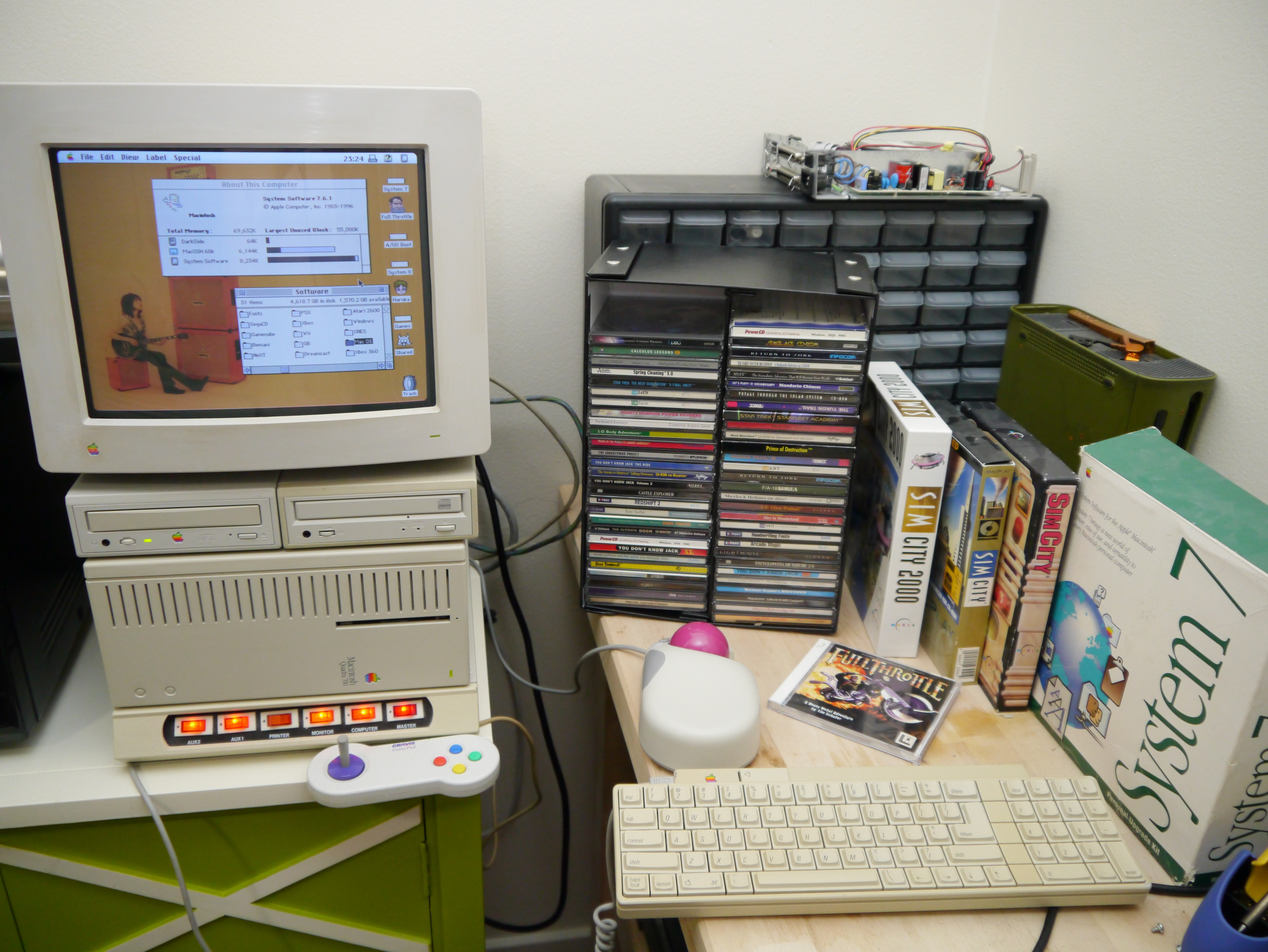
You assume that non interlaced computer screens in the mid 90s were 60Hz. I wish they were. I was using Apple displays and those were definitely 30Hz.

Which Apple displays were you using that ran at 30Hz? Apple I, II, III, Macintosh series, all ran at 60Hz standard.

Even interlaced displays were still running at 60Hz, just with a half-line offset to fill in the gaps with image.


I think you are right, I had the LC III and Performa 630 specifically in mind. For some reason I remember they were 30Hz but everthing I find googling it suggest they were 66Hz (both video card and screen refresh).

That being said they were horrible on the eyes, and I think I only got comfortable when 100Hz+ CRT screens started being common. It is just that the threshold for comfort is higher than I remember it, which explains why I didn't feel any better in front of a CRT TV.


Could it be that you were on 60Hz AC at the times? That is near enough to produce something called a "Schwebung" when artificial lighting is used. Especially when using flourescent lamps like they were common in offices. They need to be "phasenkompensiert" (phase compensated?/balanced), meaning they have to be on a different phase of the mains electricity, than the computer screens are on. Otherwise even not so sensitive people notice that as interference/sort of flickering. Happens less when you are on 50Hz AC, and the screens run at 60Hz, but with flourescents on the same phase it can still be noticeable.

I doubt that. Even in color.

1986 I got an AtariST with black and white screen. Glorious 640x400 pixels across 11 or 12 inch. At 72Hz. Crystal clear.

https://www.atari-wiki.com/index.php?title=SM124


I wonder how Waymos know that the traffic lights are out.

A human can combine a ton of context clues. Like, "Well, we just had a storm, and it was really windy, and the office buildings are all dark, and that Exxon sign is normally lit up but not right now, and everything seems oddly quiet. Evidently, a power outage is the reason I don't see the traffic light lit up. Also other drivers are going through the intersection one by one, as if they think the light is not working."

It's not enough to just analyze the camera data and see neither green nor yellow nor red. Other things can cause that, like a burned out bulb, a sensor hardware problem, a visual obstruction (bird on a utility cable), or one of those louvers that makes the traffic light visible only from certain specific angles.

Since the rules are different depending on whether the light is functioning or not, you really need to know the answer, but it seems hard to be confident. And you probably want to err on the side of the most common situation, which is that the lights are working.


I recently had a broken traffic light in my city, it was daylight and I didn't notice any other lights that should be on during the day to be off.

My approach was to get closer into the intersection slowly and judge whether the perpendicular traffic would slow down and also try to figure out what was going on or if they would just zip through like if they had green.

It required some attention and some judgement. It definitely wasn't the normal day to day driving where you don't quite think consciously what you're doing.

I understand that individual autonomous vehicles cannot be expected to be given the responsibility to make such a call and the safest thing to do for them is to have them stop.

But I assumed there were still many human operators that would oversee the fleet and they could make the call that the traffic lights are all off


> An error is an event that someone should act on. Not necessarily you.

Personally, I'd further qualify that. It should be logged as an error if the person who reads the logs would be responsible for fixing it.

Suppose you run a photo gallery web site. If a user uploads a corrupt JPEG, and the server detects that it's corrupt and rejects it, then someone needs to do something, but from the point of view of the person who runs the web site, the web site behaved correctly. It can't control whether people's JPEGs are corrupt. So this shouldn't be categorized as an error in the server logs.

But if you let users upload a batch of JPEG files (say a ZIP file full of them), you might produce a log file for the user to view. And in that log file, it's appropriate to categorize it as an error.


That's the difference between an HTTP 4xx and 5xx

4xx is for client side errors, 5xx is for server side errors.

For your situation you'd respond with an HTTP 400 "Bad Request" and not an HTTP 500 "Internal Server Error" because the problem was with the request not with the server.


Counter argument. How do you know the user uploaded a corrupted image and it didn't get corrupted by your internet connection, server hardware, or a bug in your software stack?

You cannot accurately assign responsibility until you understand the problem.


This is just trolling. The JPEG is corrupt if the library that reads it says it is corrupt. You log it as a warning. If you upgrade the library or change your upstream reverse proxy, and starting getting 1000x the number of warnings, you can still recognize that and take action without personally inspecting each failed upload to be sure you haven't yet stumbled on the one edge case where the JPEG library is out of spec.

I will make up some numbers for the sake of illustration. Suppose it takes you half as long to develop code if you skip the part where you make sure it works. And suppose that when you do this, 75% of the time it does work well enough to achieve its goal.

So then, in a month you can either develop 10 features that definitely work or 20 features that have a 75% chance of working. Which one of these delivers more value to your business?

That depends on a lot of things, like the severity of the consequences for incorrect software, the increased chaos of not knowing what works and what doesn't, the value of the features on the list, and the morale hit from slowly driving your software engineers insane vs. allowing them to have a modicum of pride in their work.

Because it's so complex, and because you don't even have access to all the information, it's hard to actually say which approach delivers more value to the business. But I'm sure it goes one way some of the time and the other way other times.

I definitely prefer producing software that I know works, but I don't think that it's an absurd idea the other way delivers more business value in certain cases.


It did, but it was awkward.

Analog cable channels were on a wider range of frequencies than regular TV (radio broadcast) channels. So the VCR's tuner had to be "cable ready".

Some cable channels, especially premium channels, were "scrambled", which meant you needed a cable box to tune them. So the VCR, by itself, could only record the basic channels that came with all cable packages. To record something from a movie channel (HBO, Showtime, etc.), you needed the cable box to tune it in and provide an unscrambled signal to your VCR.

And that meant the cable box needed to be set to the correct channel at the time the VCR woke up and started recording. The simple method was to leave it on the correct channel, but that was tedious and error prone. As I recall, there were also VCRs that could send a command to the cable box to turn it on (emulating the cable box remote) and set the channel, but you had to set that up.

Later, when digital cable came along, you needed the cable box involved for every recording because the channels were no longer coming over the wire in a format that the VCR could tune in.

So yeah, you could do it, but it was a pain.


Here's a video about how player pianos work:

https://www.youtube.com/watch?v=2GcmGyhc-IA

Basically, you have some pedals which generate a vacuum, and then everything is powered and controlled via vacuum. (The internet may not be a series of tubes, but a player piano literally is.)

Using vacuum to control things may seem very niche and exotic, but it was actually very common. Basically every car engine up through about the 1980s used vacuum to control the engine. Cars with a mechanical ignition system often used a vacuum advance to adjust the timing at higher RPMs, for example. Early cruise control systems used vacuum to adjust the throttle.

Anyway, all pianos have felt hammers which strike the string. When you're playing the piano manually, there's a mechanical linkage between the key you press and its hammer. In a player piano, there's another way to move the hammer: a vacuum controlled actuator. The piano roll has holes in it corresponding to notes. The holes allow air to pass through, and that causes the actuator to push the hammer into the string.

In that dance hall machine, which appears to be essentially a pipe organ, there are some similarities and some differences. A pipe organ works by blowing air through the pipes. There's a "wind chest" that stores pressurized air, and when you press a key on the keyboard, it opens a valve to let air into a particular pipe. In the old days, that linkage (between the key and the valve) was mechanical. These days it's electrical or electronic.

At the end of the video above, he even briefly mentions a band organ (which is similar to a dance hall machine) and how music rolls work for it, and it's a similar vacuum system to a player piano.

So I believe a dance hall machine with a music roll probably uses a combination of vacuum and positive pressure. The vacuum would allow reading the music roll (the paper with holes in it corresponding to notes), and that vacuum would actuate valves that allow positive pressure air into the pipes to make sound. In order to convert one of those to be controlled electronically, you could use a bunch of solenoid valves to either control the vacuum or directly control the air going into the pipes. I'm not sure which way they do it.


I wish Mini-TOSLINK[1] had been more successful. It's allows you to put an optical and electrical audio output on the same 3.5mm connector (i.e. headphone port), which is helpful for saving space on crowded panels.

The trick is that your 3.5mm connector only needs to connect on the sides, so the end of the jack can be open for light to be transmitted.

This was seen pretty frequently on laptops for a while, but I think two things doomed it. One, most people just don't use optical. Two, there's nothing to advertise its existence. If you do have one of these ports, you probably don't even know you could plug an optical connector in there.

---

[1] https://en.wikipedia.org/wiki/TOSLINK#Mini-TOSLINK


I remember when all MacBooks had it. "What is this red light for?" used to be a common post on forums.


> This computer stuff is amazingly complicated. I don't know how anyone gets anything done.

I wonder what could be done to make this type of problem less hidden and easier to diagnose.

The one thing that comes to mind is to have the loader fail fast. For security reasons, the loader needs to ensure TMPDIR isn't set. Right now it accomplishes this by un-setting TMPDIR, which leads to silent failures. Instead, it could check if TMPDIR is set, and if so, give a fatal error.

This would force you to unset TMPDIR yourself before you run a privileged program, which would be tedious, but at least you'd know it was happening because you'd be the one doing it.

(To be clear, I'm not proposing actually doing this. It would break compatibility. It's just interesting to think about alternative designs.)


Then you'd have to add a wrapper script to su and similar programs that unsets all relevant environment variables. That set is not necessarily fixed; a future version of glibc may well require clearing NSS_FILES_hosts as well.

(This is about UNSECURE_ENVVARS, if someone needs to find the source location.)

Making these things more transparent is a good idea, of course, but it is somewhat hard. Maybe we could add Systemtap probes when environment variables are removed or ignored.

A related issue is that people stick LD_LIBRARY_PATH and LD_PRELOAD settings into shell profiles/login scripts and forget about them, leading to hard-to-diagnose failures. More transparency there would help, but again it's hard to see how to accomplish that.


Mh, I am starting to dislike this kind of hyper-configurability.

I know when this was necessary and used it myself quite a bit. But today, couldn't we just open up a mount namespace and bind-mount something else to /tmp, like SystemDs private tempdirs? (Which broke a lot of assumptions about tmpdirs and caused a bit of ruckus, but on the other hand, I see their point by now)

I'm honestly starting to wonder about a lot of these really weird, prickly and fragile environment variables which cause security vulnerabilities, if low-overhead virtualization and namespacing/containers are available. This would also raise the security floor.


> But today, couldn't we just open up a mount namespace and bind-mount something else to /tmp, like SystemDs private tempdirs?

No, because unless you're already root (in which case you wouldn't have needed the binary with the capability in the first place), you can't make a mount namespace without also making a user namespace, and the counterproductive risk-averse craziness has led to removing unprivileged users' ability to make user namespaces.


It's probably true that there are setuid programs that can be exploited if you run them in a user namespace. You probably need to remove setuid (and setgid) as Plan9 did in order to do this.


I meant distros are moving towards no unprivileged user namespaces at all, not just no setuid programs inside them.


Is "just no setuid programs inside them" even an option?


It is complex. There was another posting on HN where commenters were musing over why software projects have a much higher failure rate than any other engineering discipline.

Are we just shittier engineers, is it more complex, or is the culture such that we output lower quality? Does building a bridge require less cognitive load then a complex software project?


I think it's a cultural acceptance of lower quality, happily traded for deft execution, over and over.

We're better at encapsulating lower-level complexities in e.g. bridge building than we are at software.

All the complexities of, say, martensite grain boundaries and what-not are implicit in how we use steel to reinforce concrete. But we've got enough of it in a given project that the statistical summaries are adequate. It's a member with thus strength in tension, and thus in compression, and we put a 200% safety factor in and soldier on.

And nobody can take over the ownership of leftpad and suddenly falsify all our assumptions about how steel is supposed to act when we next deploy ibeam.js ...

The most well understood and dependable components of our electronic infrastructure are the ones we cordially loathe because they're composed in shudder COBOL, or CICS transactions, or whatever.


Exactly. The properties rarely matter outside the item. The column is of such-and-such a strength, that's it. But when things get strange we see failures. Perfect example: Challenger. Was the motor safe sitting on the pad? Yes. Was the motor safe in flight? Yes. Was the motor safe at ignition? On the test stand, yes. Stacked for launch, ignition caused the whole stack to twang--and maybe the seals failed....


> Are we just shittier engineers, is it more complex [...]

Both IMO: first, anybody could buy a computer during the last three decades, dabble in programming without learning basic concepts of software construction and/or user-interface design and get a job.

And copying bad libraries was (and is) easy. I still get angry when software tells me "this isn't a valid phone number" when I cut/copy/paste a number with a blank or a hyphen between digits. Or worse, libraries which expect the local part of an email address to only consist of alphanumeric characters and maybe a hyphen.

Second, writing software definitely is more complex than building physical objects. Because there are "no laws" of physics which limit what can be done. In the sense that physics tell you that you need to follow certain rules to get a stable building or a bridge capable of withstanding rain, wind, etc.


Absolutely. As an Electrical Engineer turned software guy, Ohm's/Kirchhoff's laws remain as valid and significant as when I was taught them 35 years ago. For software however, growth of hardware architectures/constraints made it possible to add much more functionality. My first UNIX experience was on PDP-11/44, where every process (and kernel) had access to an impressive maximum of 128K of RAM (if you figured out the flag to split address and data segments). This meant everything was simple and easy to follow: the UNIX permission model (user/group/other+suid/sgid) fit it well. ACLs/capabilities etc were reserved for VMS/Multics, with manuals spanning shelves.

Given hardware available to an average modern Linux box, it is hardly surprising that these bells and whistles were added - someone will find them useful in some scenarios and additional resource is negligible. It does however make understanding the whole beast much, much harder...


I write some software to automate some engineering processes in construction.

I'd say it comes from some of (order of most to least imo, but I'm only mid level so take what I say accordingly):

* physical processes have a fuzzy good enough. The bridge stands with thrice its expected max load. It is good enough.

* most software doesn't have life safety behind it. In construction, life safety systems receive orders of magnitude more scrutiny.

* physical projects don't have more than 20 different interdependencies; there's an upper limit on arbitrary complexity

* physical projects usually have clearish deadlines (they lie, but by a constant factor)

* The industries are old enough that they check juniors before they give them big decisions.

* Similarly, there exists PE accountability in construction


It's just that people are somewhat rational.

There are no big wins left in bridge building, so there is no justification for taking big risks. Also, in most software project failures, the only cost is people's time; no animals are harmed, no irreplaceable antique guitars are smashed, no ecosystems are damaged, and no buses of schoolchildren plunge screaming into an abyss.

Your software startup didn't get funded? Well, you can go back and finish college.


Yeah, this case is a good example of why many people don't like linux. Too much interconnected stuff that can go wrong.


That's a real issue, but this is for a district heating system which already exists and already faces this issue. And yet the district heating system is presumably practical.

Changing to a different central source of heating (i.e. storage) seems orthogonal.


Guidelines | FAQ | Lists | API | Security | Legal | Apply to YC | Contact

Search: